zebra label printer not printing

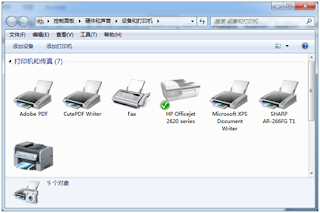
GK888T zebra Label Printer not printing If the Printer does not print after clicking “Print”, it has below several causes: 1, Label Printer install error, Please check whether the USB cable and power cord is well connected and the power switch is on. Check the ribbon or Label is installed right. (Please see the installed video of GK888T). 2, point out errors by Task Status. 2.1, Check the printer driver icon status and the print task status to diagnose a), Click “ Start ” and select “set”-----“Devices”----- “ Devices and Printers ” . b), Click “ZDesigner GK888t” printer and right click “See what’s printing”. Click “Printer” and check whether “Use printer offline” is selected, if it is, then cancel it. c), Wrong port is selected in the driver. Right click the printer driver icon, select “ Printer Properties ” , and correct the “ Port ” selection under the “ Port ” tab. You can try to selection the U...
Where can I get label template for all iPhone
ReplyDeletewhere can i get the label template i have tsc ttp 345 with me
ReplyDeleteHi,
ReplyDeleteWhere can I get the software to print iphone 7-8plus box labels and the label stock?
I have the printer.
Thanks
Ken
Yodabest57@aol.com
please send me details about iphone leabal printing software
ReplyDeleteemail: nilushareshinrox@gmail.com
Where can I get label template for all iPhone
ReplyDelete