GK888T zebra Label Printer not printing If the Printer does not print after clicking “Print”, it has below several causes: 1, Label Printer install error, Please check whether the USB cable and power cord is well connected and the power switch is on. Check the ribbon or Label is installed right. (Please see the installed video of GK888T). 2, point out errors by Task Status. 2.1, Check the printer driver icon status and the print task status to diagnose a), Click “ Start ” and select “set”-----“Devices”----- “ Devices and Printers ” . b), Click “ZDesigner GK888t” printer and right click “See what’s printing”. Click “Printer” and check whether “Use printer offline” is selected, if it is, then cancel it. c), Wrong port is selected in the driver. Right click the printer driver icon, select “ Printer Properties ” , and correct the “ Port ” selection under the “ Port ” tab. You can try to selection the U...
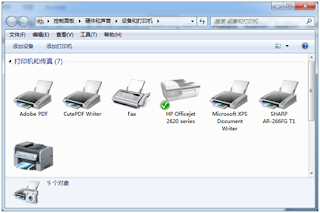
How to fix the driver of thermal Printer fail to install After you install the Thermal printer http:\\www.hsprinter.com driver, but the "devices and Printer" cannot find out your printer which your installed. now you can according to blow article, 1, open the devices and printer like below images: 2, Click "Add Printer" and choose the " add local printer" Next step. 3,Choose the Prot, and click next step. you should notice that if you printer is USB interface, you should choose the USB port. and what's your printer port, you should choose what's port. 4,Click the "from disc install" 5, Choose the "Browse" 6,Browse from "My Computer"-"C" Disk--- 7,Double-Click the "Xinye Pos Printer Driver" 8,Choose your right OS type"x86 or X64 bits" 9, Continue choose the .inf File and click "open". 10, Chose the ...


Comments
Post a Comment