Posts

how to choose the portable receipt printer for ipad

Image
How to choose the Portable Receipt Printer for Ipad, First choose the right interface for your printer  you can choose the WIFI and Bluetooth 4.0 interface Portable Receipt Printer  What is different between WIFI and Bluetooth interface Portable Receipt Printer WIFI Portable Receipt Printer is use the LAN to connect with your ipad. Bluetooth Portable Receipt Printer is use the site to site to connect your ipad by Bluetooth Second,confirm the printing width.  Basically, the Portable Receipt Printer have two printing width 2 inch or 3 inch. If you want to print many character on your receipt, you can choose 3 inch receipt paper.otherwise,you can choose 2 inch printing width Printer. 3 inch receipt cost is more expensive than 2 inch receipt. Third,choose the printer wether support ESC/POS command The ESC/POS Command is development standard on the printer industry. a lot of pos APP base on this command development. If you have the app ...

How to print the iphone Labels from Label Printer

Image

How to Printer the clothes tags on Label Printer

Image
Question: Printed the Clothes tags doesn't correctly. the printer doesn't know the label size. print out like the photos. 1, please ensure that your set the same size with your tags. 2,  Preparing For Tag Printing   In tag printing, the tag hole indicates the height of a label. During adjustment, the sensor must therefore be positioned directly below the tag hole as shown in the illustration. The tag hole should be at least 3 mm in diameter to ensure correct functioning. 3, Label size calibration and Self Test Page STEP-01,Check that the label stock is loaded correctly. STEP-02,Switch off the printer. STEP-03,Switch the printer on again, keeping the FEED button pressed. When the READY LED starts to flash red and the STATUS LED lights up orange, release the FEED button. The printer will now measure the label stock and store the label height. STEP-04,Once the printer has successfully measured the label stock, it will print a self-test label.

GP9025t&GP9026t Barcode Printer English user manual and multiple languages drive

Image
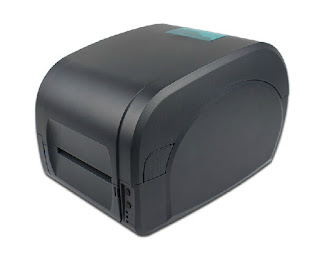
We know that a lot of person find the GP9025T & GP9026T drivers for English versions. below info the suit for you, If you have any issue about this kind of Printer, you can contact us. www.hsprinter.com  or you need know more about this kind of printer. GP9025T & GP9026T Label Printer multiple languages  drives gp9025T & gp9026T Driver GP9025T & GP9026T Label Printer English Manual GP9025T & GP9026T Manual GP9025T & GP9026T Label Printer  Ouick install Guide GP9025T & GP9026T Ouick install Guide

GP1124T & GP1125T English Drive and User Manual

Image
GP1124T & GP1125T label Printer English drive quick Install Guide GP1124T& GP1125T Label Barcode Printer multi-language drive. GP1124T& GP1125T multi-language drive GP1124T&GP1125T Label Barcode Printer English Quick install Guide GP1124T & GP1125T Quick Install Guide GP1124T&GP1125T Label Barcode Printer English user manual GP1124T & GP1125T User Manual GP1124T Label Printer

label printer printing unclear

Image
Barcode Printer :   POSET Q8 Desktop Printer  drivers Software: If the label is unclear when you use the Poster Q8 printer ,  The most common reason can be summarized as follows: 1, Consumables Matching Problem. Asked your Consumable Supplier about the Matched with your labels and ribbon. 2,Printting Darkness Problem, The Darkness setting demand depending on the consumables. during printing labels, use the print depth (concentration) is too low or too high. , it will be affect the quality of printing content you can check it with your consumables supplier and set the darkness. Click the “ Print ” button → Document Properties → Options → Darkness. If the Print head or Platen Roller is smudge, that will be print out is not clear. you can use the anhydrous alcohol Clear the print head and Platen Roller.  If the print content is not improved, Maybe you need to change the Print head and Platen Roller. 4, Hardware's issue 1,If there...

What are thermal printer

Image
Thermal printer working principle Thermal printer core parts for the thermal sheet that there is a row of tiny semiconductor element composition . When these elements through a certain current, the semiconductor will produce energy . thermal printer use the thermal paper,  the thermal paper coated with a discolored coating, when the discolored coating will be generated a chemical reaction by heat. Since the coating materials of different varieties , so the appearance of colors are black , blue , purple and so on . After the thermal printer receives printing data, the printer will convert the printing data into bitmap Data and then follow point of bitmap data, control the semiconductor element of Printer Mechanism via suitable electric current generate the appropriate temperature. so the print data will be become printing content on thermal paper. Thermal Printer classification Thermal Printer have two type printing methods Thermal Serial ...